














What is Schema Markup?

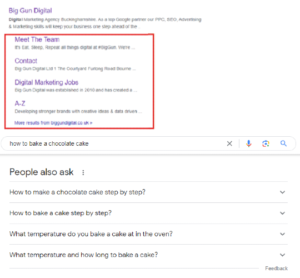
Schema Markup is a great (FREE!) tool to use when you are trying to increase your organic visibility as it allows for search engines to gain vital context around the contents of a webpage (e.g. Reviews, Dates & Prices.) Once the search engine has understood the content, (when instructed) it will add a ‘rich snippet’ into the search engine results pages (SERPs.) This will allow for users to see additional information in relation to their query. For example, if you search for a chocolate cake recipe (shown below), a rich snippet might display some of the recipe’s crucial information, — all before you even visit the website! This enhanced presentation not only helps users quickly assess whether a search result is relevant to their needs but also increases the likelihood of attracting clicks as the information is presented in a more enticing manner.


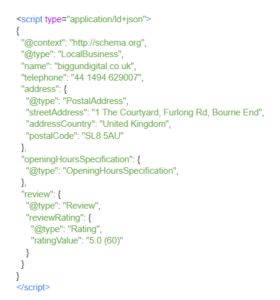
Using Schema Markup for implementing Google reviews into a search listing offers a dual advantage in terms of SEO and traffic generation. When showing a high review count, your product/service instantly appears more eye catching & trustworthy, enticing more users to click through. Search engines notice this and come to the conclusion that there must be good, relevant content on the page if it is driving a lot of traffic, pushing your page up in the rankings further.

So How Do You Create Schema Markup?

Google have developed Structured Data Markup Helper in order to help you generate schema. Alternatively, you could use Merkle’s Markup Generator or Rank Ranger. Listed below are some instructions on how to use Google’s Generator. These steps are quite transferrable as the schema is all created the same,  it’s just that the process & UI will be different depending on the tool of use.

  • Navigate to the Markup Helper tool and select the relevant data type to you
  • Paste either your sites URL or another information source, (whichever has more information.) A Google Business Profile is excellent for this
  • Now start highlighting the information displaying from your source and tag it accordingly
  • Once you have done this, click “Create HTML” in the top right of the page and copy all of the script that it prints out
  • Add the script to the desired pages across your site – You may want to ask your sites developer to do this
  • Finally, submit your sitemap to Google Search Console and ask Google to reindex it. We do this to tell Google that we have updated our site and that we would like it crawled. Once it is crawled by Googles bots, SERPs will begin to show our schema in their search results
After doing the above tips, it usually takes anywhere between 1-4 weeks in order for Google to send its crawling bots to your site and get the information provided from the code indexed into the Schema area within a SERP.

Google Rich Results Test

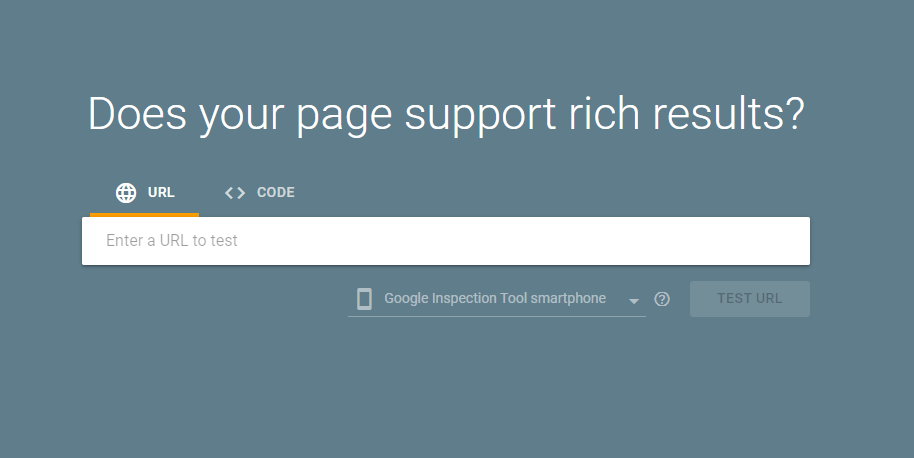
This is another free tool developed by Google for us to use. It allows for us to preview how the schema we generated will be structured in the SERPs. It also offers information about any errors or warnings related to the structured data markup, offering guidance to fix these issues.

READY TO GO?

BRING IN THE BIG GUNS

BOOK A STRATEGY CALL

BOOK A STRATEGY CALL

I'd Like to Chat About...(Required)

PING US A MESSAGE 💬

This field is for validation purposes and should be left unchanged.
Services of Interest